

How to Troubleshoot Common Electrical Lock Problems
2025-12-12
Modern security relies heavily on the seamless operation of an Electrical Lock. When your Haikelun smart lock malfunctions, it can be a source of frustration and a potential security concern. Before calling for professional help, there are several troubleshooting steps you can take to diagnose and potentially resolve common issues. This guide will help you systematically identify problems and understand how the robust design of Haikelun products prevents many failures.
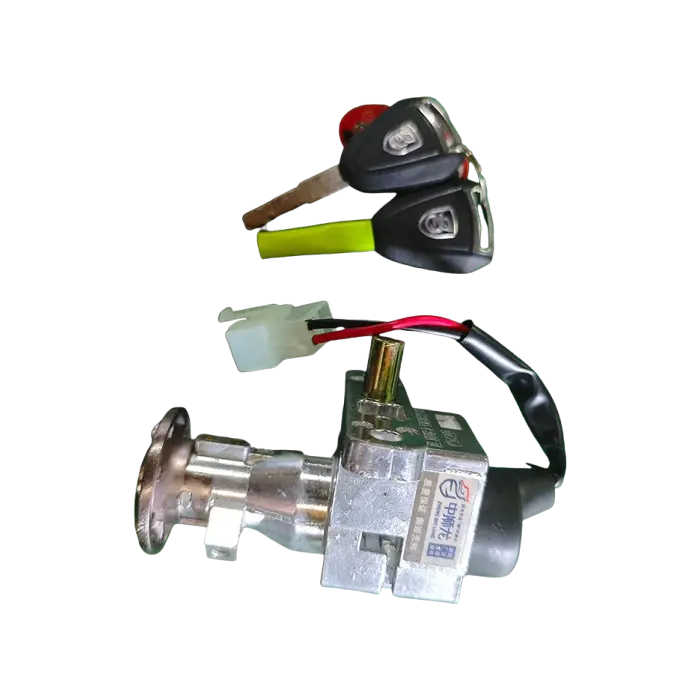
First, always perform these basic checks:
-
Power Source: Verify batteries are correctly installed and have sufficient charge. For wired models, check the power adapter connection.
-
Signal & Connectivity: Ensure the lock is within range of your Wi-Fi or Bluetooth gateway and that there’s no significant interference.
-
Mechanical Obstruction: Gently check if the door or deadbolt is misaligned, preventing smooth operation.
For precise diagnostics, refer to the core parameters of a typical Haikelun Electrical Lock:
| Component | Haikelun Specification | Common Issue & Check |
|---|---|---|
| Power Supply | Dual-source: 4x AA batteries & low-voltage terminal | Lock unresponsive; replace batteries or check wired input. |
| Motor & Drive | High-torque, silent motor (≥ 150 lbf-in) | Humming sound/no action; bolt obstructed or motor strain. |
| Communication | AES-128 encrypted Bluetooth 5.0 & Wi-Fi module | Failed remote access; reboot router/re-sync lock via app. |
| Authentication | Multi-mode: Fingerprint, PIN, RFID, Mechanical Key | Key method fails; use alternate method (e.g., PIN if fingerprint fails). |
Electrical Lock FAQ Common Problems
Q: What should I do if my Electrical Lock is completely dead and won't respond to any input?
A: This is almost always a power issue. First, replace all batteries with new, high-quality ones. If the lock is hardwired, check the transformer and wiring for faults. All Haikelun locks feature an emergency mechanical key override and an external micro-USB port for temporary emergency power, allowing you to regain access and address the primary power failure.
Q: Why does my Electrical Lock recognize my code or fingerprint but not retract the bolt?
A: This indicates a mechanical blockage or motor disconnect. The authentication system is working, but the drive mechanism is hindered. Check for door alignment, a loose strike plate, or physical debris in the bolt path. The high-torque motor in Haikelun locks is designed to overcome minor misalignments, but persistent issues require mechanical adjustment of the door hardware.
Q: My lock works manually but won't connect to the smartphone app for remote control. How can I fix this?
A: This points to a connectivity problem. Restart your home Wi-Fi router and the lock itself (usually by removing one battery briefly). Ensure the lock's hub, if applicable, is online. Within the Haikelun app, try removing and re-adding the device to the network. Confirm your smartphone's Bluetooth is enabled for initial sync, as our system uses a secure dual-connection protocol for reliable communication.
By understanding these common issues and the built-in reliability of Haikelun Electrical Lock systems, you can often restore functionality quickly. Our products are engineered with redundant systems—like dual power sources and multiple authentication methods—to ensure you are never locked out. However, for persistent electrical issues, complex installations, or to explore our full range of premium smart locks, professional support is recommended.
Contact us today for expert troubleshooting advice or to learn how a Haikelun Electrical Lock can upgrade your property's security and convenience. Our team is ready to assist you.